Azure Kubernetes Fleet Manager: Managing AKS at Scale
Published: April 26, 2026
Managing multiple AKS clusters across different regions and subscriptions can quickly become chaotic. Version upgrades, OS patching, and lack of centralized visibility often turn into operational pain points. In our case, handling 18 clusters made this even more challenging — until we adopted Azure Kubernetes Fleet Manager.
1. What is Azure Kubernetes Fleet Manager?
Azure Kubernetes Fleet Manager enables at-scale management of multiple Kubernetes clusters. It provides a centralized control plane to monitor, govern, and safely operate your entire AKS estate. Think of it as a control plane above your control planes — a single hub to manage everything in one place.
2. Orchestrated Upgrades Without the Risk
One of the biggest challenges we faced was coordinating Kubernetes version upgrades and OS patching
across all clusters. Fleet Manager solved this by allowing us to group clusters, define rollout order,
and introduce manual approval gates.
This means upgrades are no longer an all-or-nothing gamble. We can safely roll out changes in phases,
minimizing risk to production workloads. This is the feature we rely on the most.
3. Centralized Observability
Fleet Manager provides a single pane of glass to monitor cluster health, resource placement, and operational status. Instead of jumping between multiple clusters and dashboards, we now have a unified view of our entire Kubernetes fleet.
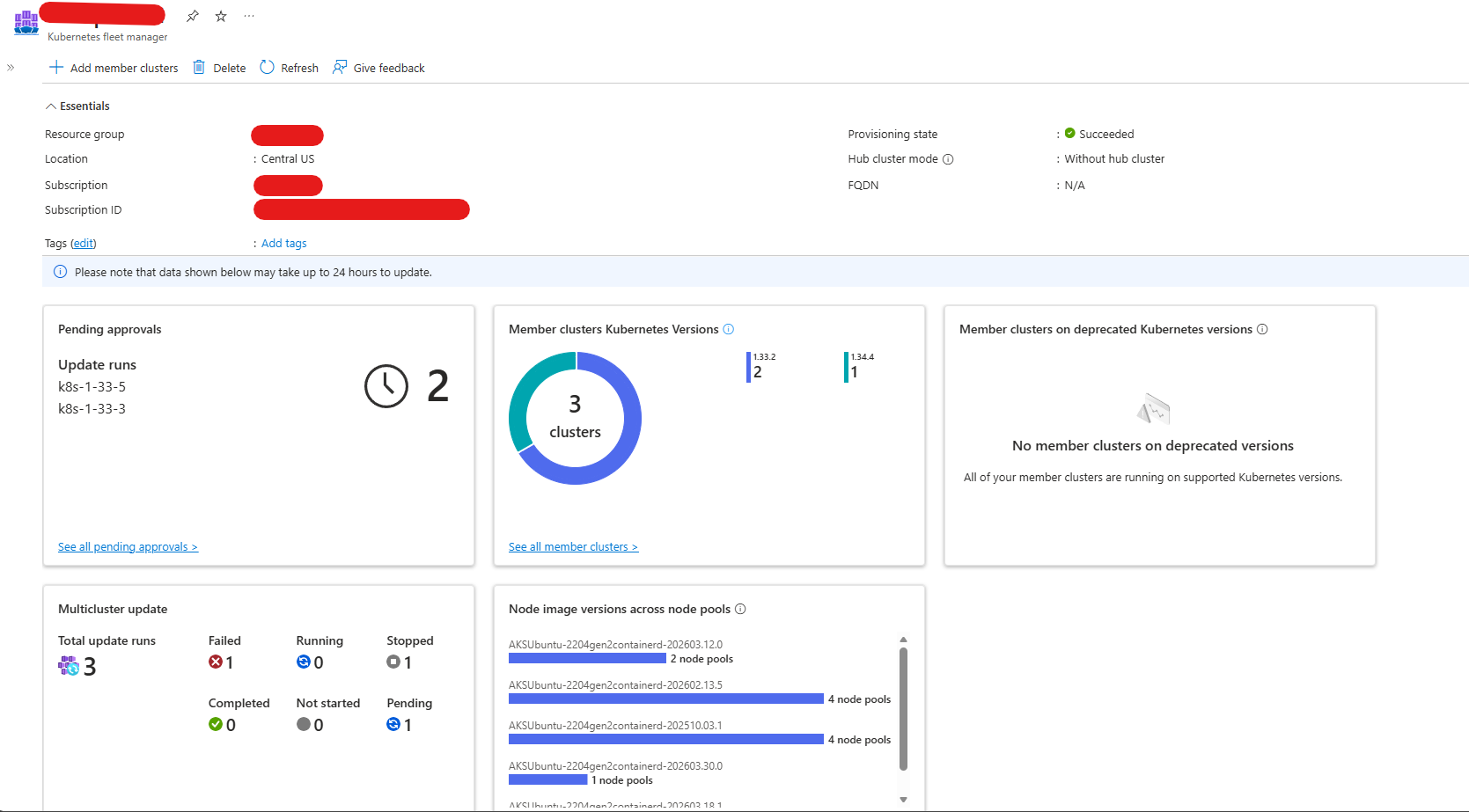
4. Handling Terraform Version Drift
One subtle but critical issue we encountered was Terraform conflicting with Fleet Manager
during version upgrades. Terraform would attempt to revert versions managed by Fleet Manager.
The fix was simple but important:
lifecycle {
  ignore_changes = [
    kubernetes_version,
  ]
}
This ensures Terraform doesn't interfere with Fleet Manager’s upgrade strategy, allowing both tools to coexist without conflict.
Conclusion
Azure Kubernetes Fleet Manager significantly improved how we manage our AKS infrastructure.
From safer upgrades to better visibility and control, it brought structure to what was previously
a complex and error-prone process.
I’ve also shared feedback with the Azure team based on real-world usage — small improvements that
could make this tool even more powerful for teams operating at scale. See feedback thread:
github.com/Azure/AKS/issues/5655.